BlogProduct
ProductDevplan
A documentation tool that writes itself: how Live Docs keeps product docs current
Live Docs is Devplan's AI-powered documentation tool. It writes a page for every feature in your code. See the pages it wrote for an example invoicing app.
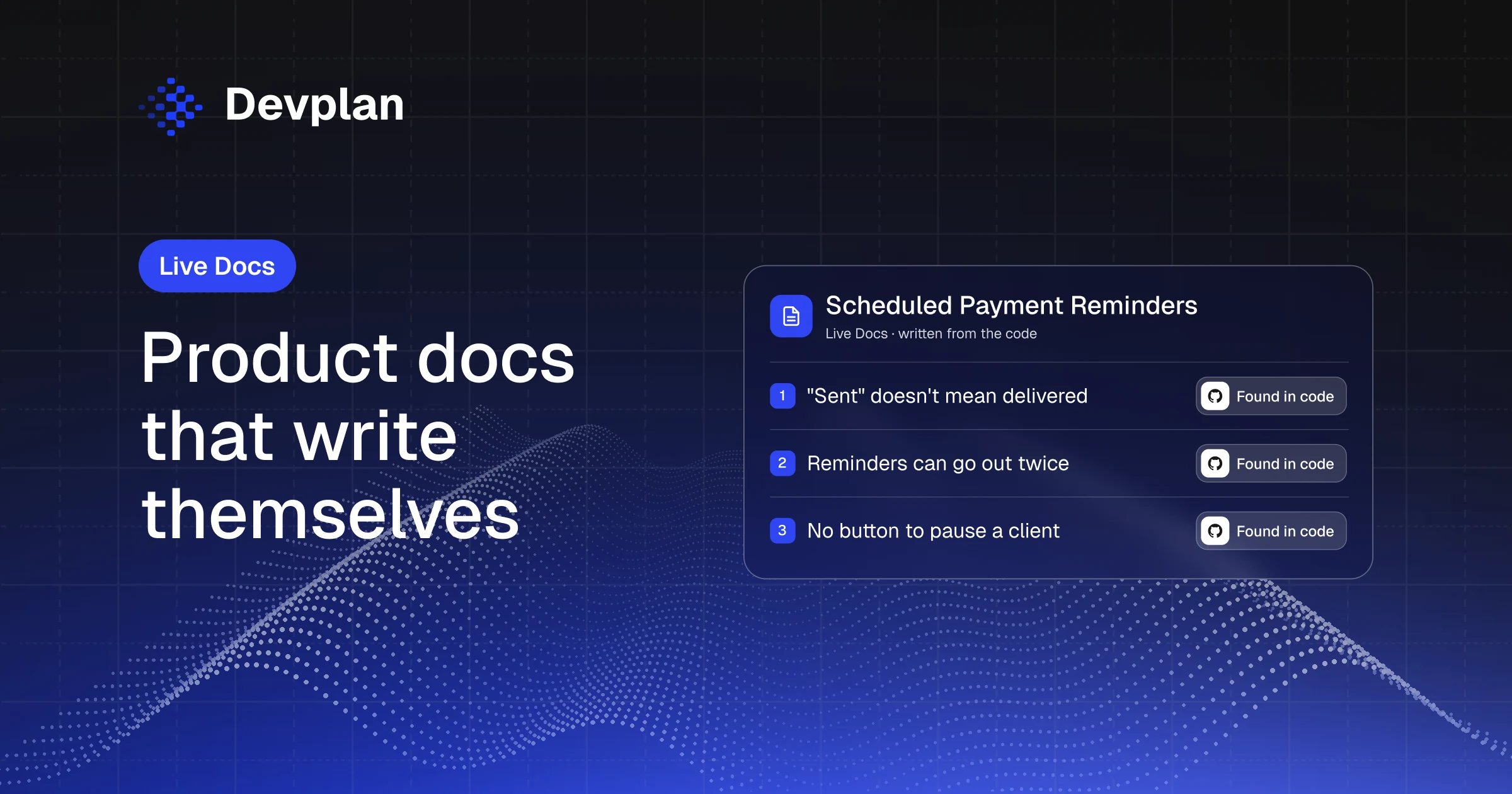
Short answer: An AI-powered documentation tool writes and updates docs from a source of truth, so nobody has to keep them current by hand. Devplan's Live Docs uses your code as that source. It connects to GitHub, GitLab or Bitbucket, writes a page for every feature it finds (what it does, who uses it, the flow and its limits) and updates the pages as you ship.
A note before we start. Live Docs is part of Devplan, and we build Devplan. Everything below comes from Billbird, an example invoicing app, so the pages you'll see are what Devplan wrote from Billbird's code.
What is an AI-powered documentation tool?
An AI-powered documentation tool is software that writes documentation for you from a source, such as a codebase, instead of waiting for someone to write each page. Some of these tools generate API references, and others turn screen recordings into step-by-step guides.
Live Docs is the part of Devplan that writes product documentation from your code. It creates a page for every feature it finds, explains in plain words what the feature does and where it stops, and updates the page when the code changes. Support, sales, PMs and engineers all read the same page.
Why product docs go stale
A client tells your support team they never got a payment reminder, but the invoice says one went out on the due date. To find out which is true, support asks the engineer who built reminders, and the engineer stops what they're doing to reread code written months ago.
That happens because most product docs are written once, when a feature ships, by the engineer or PM who built it. Then the code keeps changing and the doc doesn't. A limit gets added or a retry starts behaving differently, and nobody goes back to the page, because updating docs isn't anyone's job.
So people ask the person who built the feature instead, and the waiting adds up. In Stack Overflow's 2024 Developer Survey, 53% of professional developers agreed that waiting on answers disrupts their workflow, and 30% said knowledge silos hurt their productivity ten or more times a week.
What should a documentation tool do?
For product docs, a documentation tool should pass four tests.
| Test | Why it matters | How Live Docs handles it |
|---|---|---|
| It writes from the code | A doc written from a spec describes what was planned, and the code shows what the product does | Devplan analyzes your repository and writes each page from it |
| It stays current without an owner | A page that someone has to remember to update falls behind | Pages update as you ship, and each one shows when it was last updated |
| People outside engineering can read it | Support, sales and PMs need to know what a feature does and where it stops, in plain words | A User Flow tab for everyone and a Tech Design tab for engineers |
| It shows the limits | The edge case is often the part people need, such as what happens on the 31st of the month | Every page ends with the feature's limitations |
How Live Docs works
Live Docs sits under Product > Live Docs in the Devplan app. You do the first step, and Devplan does the rest.
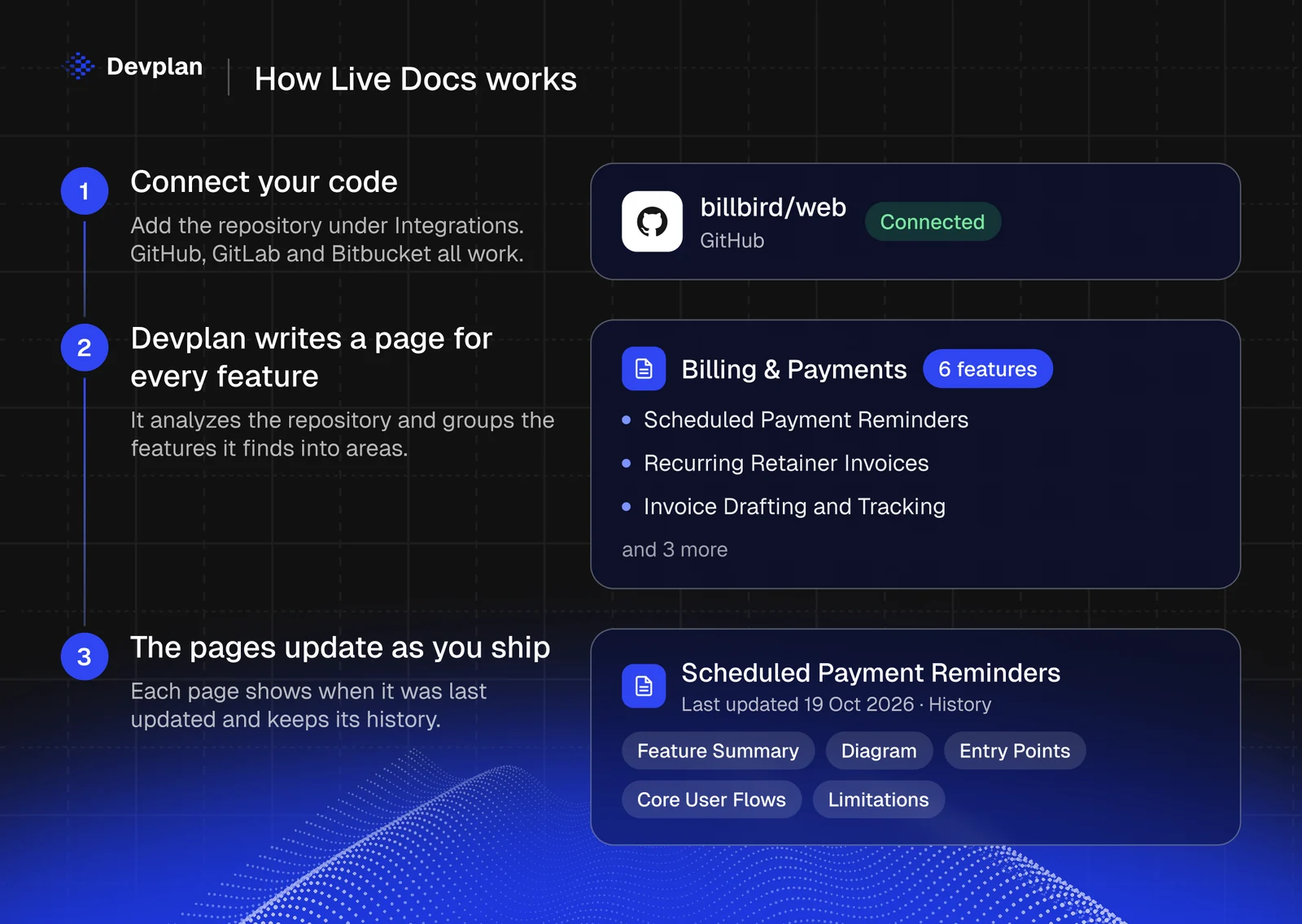
- Connect your code. Open Integrations in Devplan and connect GitHub, GitLab or Bitbucket. For Billbird, we connected one GitHub repository.
- Devplan writes a page for every feature it finds. It analyzes the repository, works out which features it contains and groups them into areas. In Billbird, it grouped six features under Billing & Payments, from invoice drafting to a receivables dashboard. A search box finds any feature, and a Map view shows the same features as a graph.
- The pages update as you ship. When the code changes, Devplan updates the pages. Each page shows the date it was last updated and has a History panel, so nobody on the team has to write or maintain them.
What's on a Live Docs page
Every page follows the same structure, and Billbird's Scheduled Payment Reminders page is a good example. At the top, one sentence sums up the feature, including what Devplan couldn't confirm from the code. For reminders, it ends with "deployed scheduling, pause management, and production delivery remain unverified." That line tells support and sales not to promise automatic reminders yet.
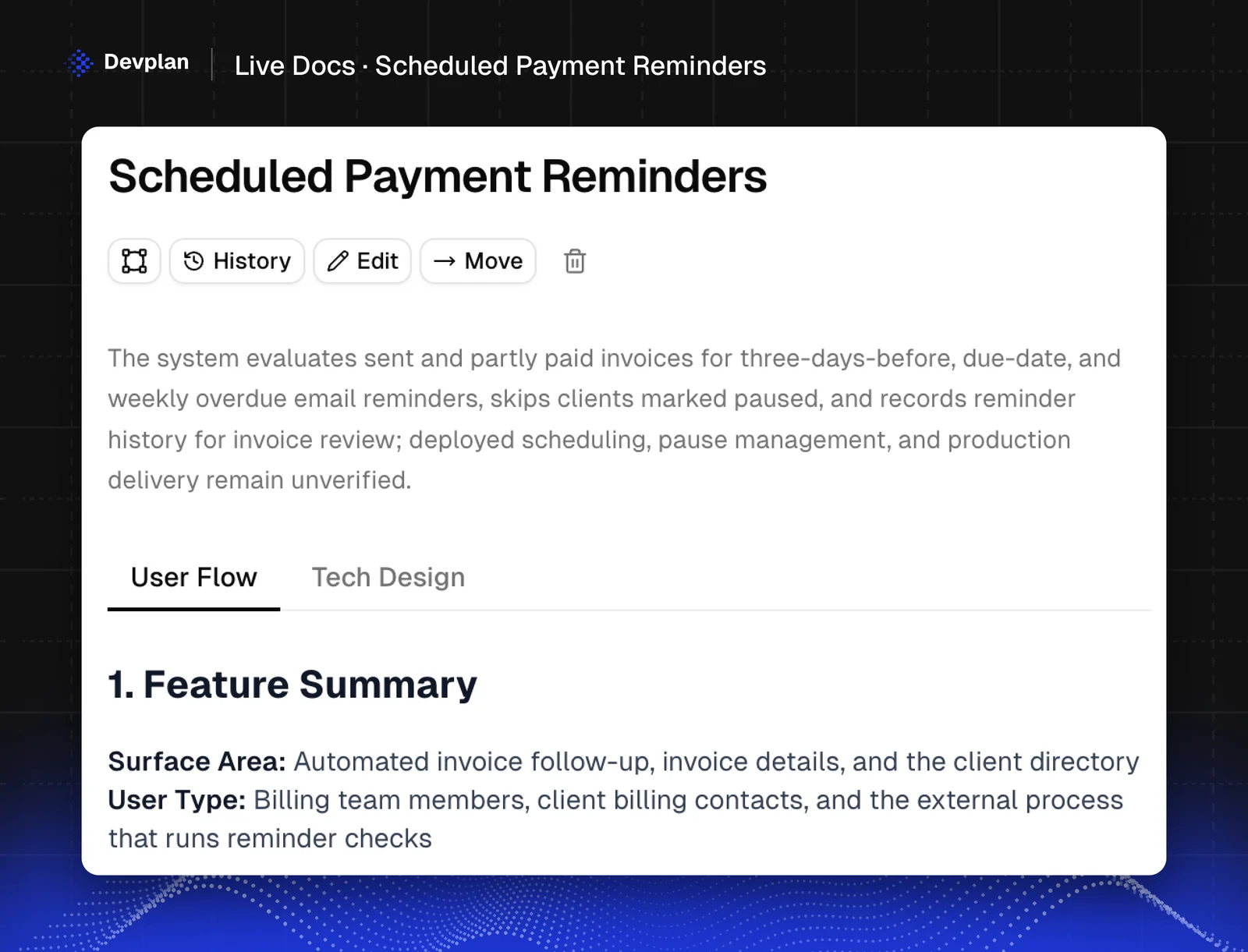
Below the summary, a User Flow tab is written for anyone on the team, and a Tech Design tab is for engineers. The User Flow tab has five parts:
| Part | What it answers | On the reminders page |
|---|---|---|
| Feature Summary | Where the feature appears, who uses it and what it does | The users are "billing team members, client billing contacts, and the external process that runs reminder checks" |
| Diagram | How the flow runs from start to finish | From the reminder check to the email and the entry in the invoice's history |
| Entry Points | Where the feature starts | An automated check, the invoice page and the client directory |
| Core User Flows | Each flow, step by step | "Three days before the due date, the client receives a pre-due reminder." |
| Limitations | What the feature doesn't do and how it can fail | Called "Limitations and Failure Outcomes" on this page |
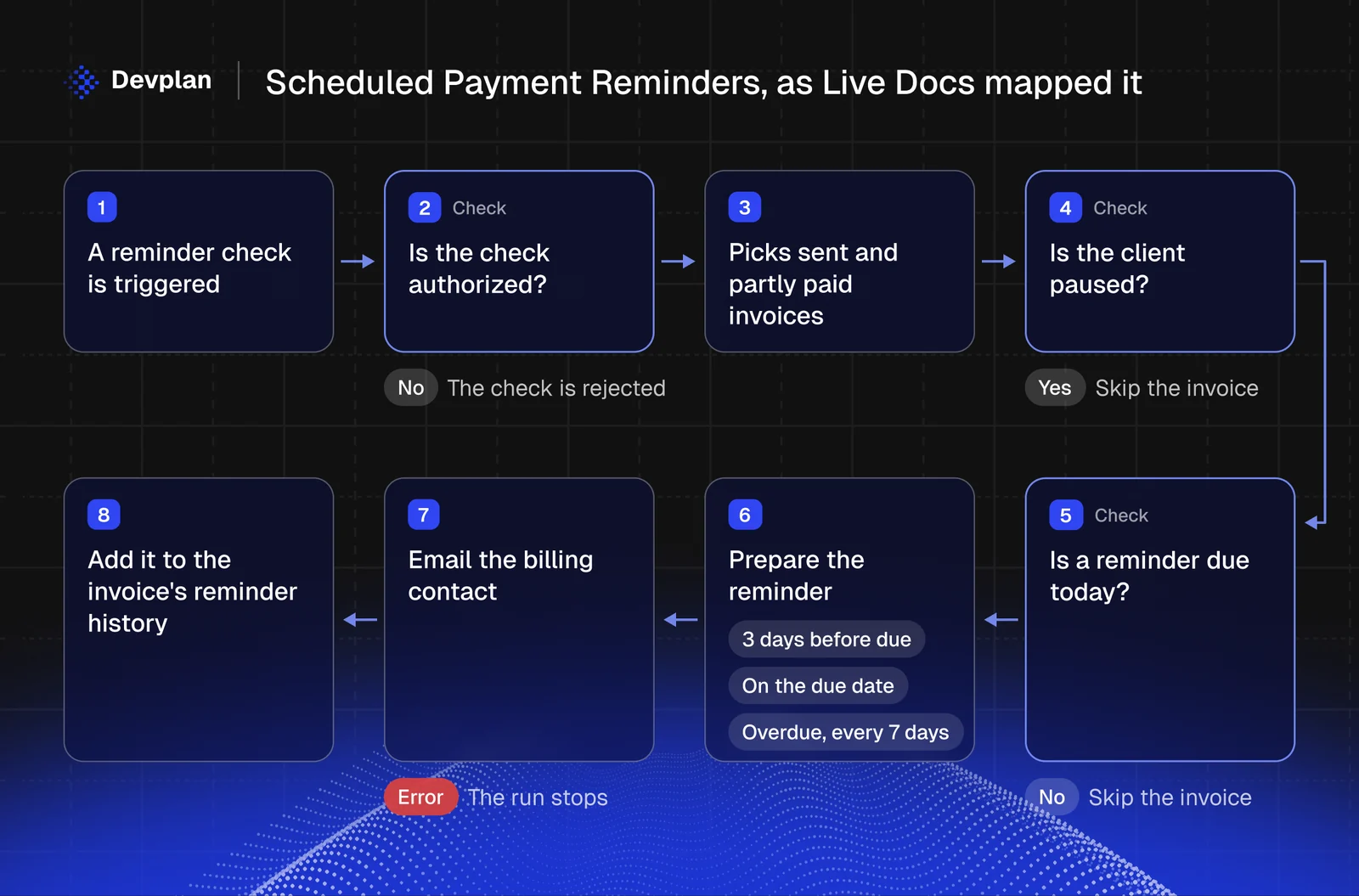
What Live Docs found that nobody wrote down
The Limitations part covers what teams usually learn from a client complaint. These are real findings from two of Billbird's pages:
- "Sent" doesn't mean delivered. On the reminders page, the email adapter "does not inspect the provider's response status. A provider rejection may therefore still be followed by a 'sent' history entry."
- Reminders can go out twice. "A repeated check on the three-days-before date or due date can send duplicate reminders; there is no same-day duplicate safeguard."
- A setting with no switch. The reminder check skips clients marked as paused, but "no current product control for pausing or resuming a client is evidenced." The pause exists in the data, and there's no button to change it.
- Auto-send that doesn't send. On the Recurring Retainer Invoices page: "If automatic sending is on, the invoice is marked as sent and given a sent date. No email is sent by this recurring flow, so the client does not receive delivery from this option alone."
- Retries that duplicate invoices. Also on the retainer page: if the invoice is created but the schedule doesn't move forward, "retrying may create a duplicate."
- The 31st of the month. "A day-31 schedule falls on February's last day," and the short month doesn't change the schedule for the months after it.
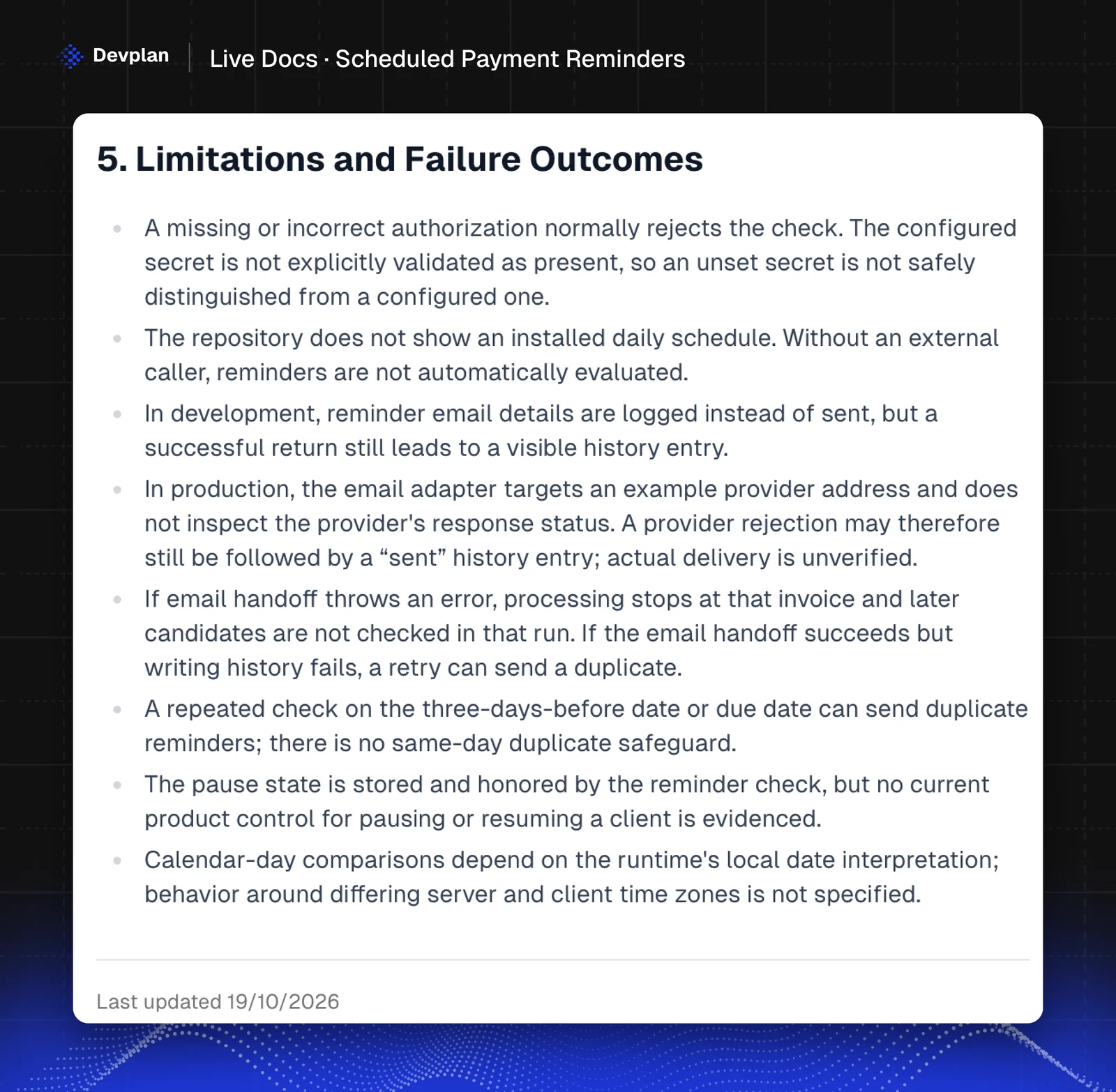
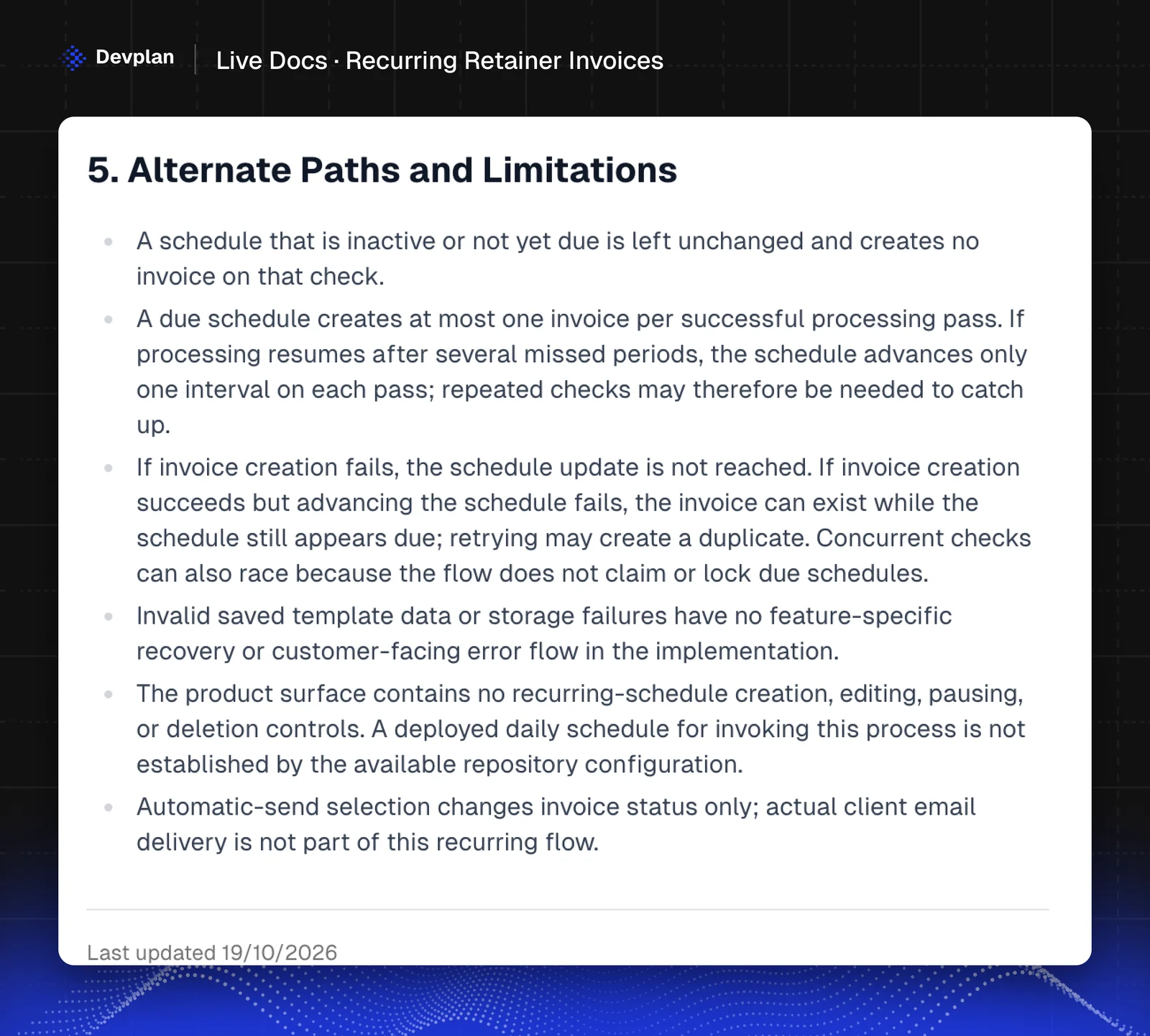
On a Live Docs page, support can read these before the client writes in.
When Devplan analyzes a repository, it also writes an overview of it: a summary, the build process, the database schema, the tech stack and the main user flows. The same analysis flags gaps in the code, such as a form that posts to a route that doesn't exist.
Who uses Live Docs
- Support answers "why didn't my client get the reminder?" from the page, without a ticket for engineering.
- New engineers read the user flows and the Tech Design tab before they change a feature, so their first pull request doesn't break a rule they didn't know about.
- PMs check what a feature does today before they write the spec for the next version, so the spec starts from the real product. Our guide to writing a PRD covers the spec itself.
- Sales check what's built before they promise it. The reminders page, for example, says the repository has no daily schedule set up, so reminders only run when something outside the app triggers the check.
How Live Docs fits into Devplan
Live Docs is one part of Devplan's product brain, which links your code with the customer requests, tickets and decisions in the tools you connect.
If your engineers use Claude Code, the Devplan MCP server lets Claude browse the features Devplan has mapped in your product while it works. Our setup guide takes one command and a few lines in CLAUDE.md.
Frequently asked questions
What is a documentation tool?
A documentation tool is software for writing, organizing and publishing documentation, such as product docs, technical docs, internal wikis and API references. In most of them, a person writes each page. Devplan's Live Docs writes product docs from your code instead and updates them as you ship.
Which AI tool is best for documentation?
For product documentation, Devplan's Live Docs writes a page for every feature from your code and keeps it current as you ship. For API references and developer guides, a docs platform built for publishing those is usually the better fit.
Can AI write documentation from code?
Yes. Devplan's Live Docs analyzes a codebase and describes what each feature does, how people use it and where it can fail, as the Billbird pages above show. Someone who knows the product should still review the pages, and each page has an Edit button for that.
How do you create code documentation?
Connect your repository to a tool that writes from the code, such as Devplan's Live Docs. You connect GitHub, GitLab or Bitbucket under Integrations, and Devplan writes a page for each feature it finds. It documents features rather than individual functions, so people who don't read code can use the pages.
Does Live Docs update when the code changes?
Yes. Devplan updates Live Docs pages as you ship, and each page shows the date it was last updated.
Which code hosts does Live Docs work with?
Live Docs works with GitHub, GitLab and Bitbucket.
Do I have to write anything?
No. You connect a repository and Devplan writes the pages. You can still edit a page, or move it to another area if you'd group your features differently.
Try Live Docs on your own code
Docs that keep up with your code. Connect your repository to Devplan and start with $100 in free credits, no card needed.
About the author. Chris Bee is the co-founder and CEO of Devplan.