BlogGuides
GuidesDevplan
Linear AI: what it does and how to give it product context
What Linear AI does in 2026: Linear Agent, Triage Intelligence, coding sessions and MCP. Plus how to give it the customer and product context behind each issue.
Short answer: Linear AI is the set of AI features built into Linear: Linear Agent in the app, Slack and Teams, Triage Intelligence, coding sessions with Claude Code or Codex, Loops, and an MCP server for outside agents. It works on what is in your Linear workspace. To give it product context, make sure each issue arrives with the customer requests, decisions and code behind it. Devplan writes those stories and exports them to Linear as issues.
A note before we start. We build Devplan, which works with Linear. Every Linear feature below was checked against Linear's own docs, changelog and pricing page on 3 November 2026, and each one links to its source. Plans and features change often, so check the link before you rely on a detail.
What is Linear AI?
Linear AI means the AI features that ship inside Linear, the issue tracker and product development tool. It started with semantic search and summaries in 2025 and now includes an agent that creates issues, drafts updates and writes code. AI has become a big share of what happens in Linear: in Linear's own How teams build report, the company says teams "now use AI to write just under half of everything created in Linear."
Here is what each feature does, the plan it needs and when it shipped.
| Feature | What it does | Plan | Shipped |
|---|---|---|---|
| Linear Agent | Chat in the app (Cmd/Ctrl+J), in comments, in Slack and in Teams. Creates and updates issues and projects, drafts updates and specs, saves conversations as reusable skills. | All plans | 24 Mar 2026 |
| Triage Intelligence | Suggests the team, project, assignee and labels for new issues, and flags duplicates and related issues. Suggestions can apply automatically. | Business, Enterprise | 14 Aug 2025 |
| Coding sessions | Linear Agent writes code with Claude Code or Codex in a cloud sandbox and returns a diff to review. Needs GitHub. | All plans, uses AI credits | 11 Jun 2026 |
| Code Intelligence | Linear Agent answers questions about your connected GitHub repositories. | Business, Enterprise | 14 May 2026 |
| Loops | Agent workflows that run on a schedule or a trigger. | All plans, uses AI credits | 20 Jul 2026 |
| Agent for Intercom, Zendesk and Gong | Turns a support ticket into issues in one click, and reads Gong call transcripts for feature requests. | Support tools on Business; Gong on Enterprise | 11 Dec 2025 |
| Customer Requests | Links customer feedback to issues and projects, so you can sort by customer count or revenue. | All plans (more sources on higher plans) | On projects since 30 Apr 2025 |
| Pulse | A feed of project updates with a personal AI summary, daily or weekly. | All plans | 16 Apr 2025 |
| MCP server | Lets outside AI tools find, create and update issues, projects and documents. | All plans | 1 May 2025 |
| Agents in Linear | Assign issues to agents such as Cursor, Codex, GitHub Copilot and Devin, or build your own. | All plans | 20 May 2025 |
Plans are from linear.app/pricing: Free, Basic ($10 per user a month), Business ($16) and Enterprise (custom).
How Linear AI agents work with Claude Code, Cursor and Codex
There are two ways an outside agent works with Linear. The first is delegation. An admin installs the agent and picks the teams it can see, and then you assign an issue to it or @mention it. The agent becomes the issue's delegate and can open a pull request against it. Linear's docs say agents don't take a paid seat and can't sign in to the app or manage users.
The second is MCP. Claude Code, Cursor, Codex and other MCP clients connect to https://mcp.linear.app/mcp, sign in with OAuth (in Claude Code, run /mcp to finish), and can then search, create and update issues from the terminal or editor. For Claude Code, that is one command:
claude mcp add --transport http linear-server https://mcp.linear.app/mcpEither way, the agent works from the issue: its title, description, comments, linked documents and whatever context your admin has connected.
What Linear AI knows, and where product context goes missing
Linear describes its agent as one that "understands your projects, issues, customer requests, docs, and code." That holds for what reaches Linear. How much reaches it depends on what you connect and the plan you're on: support tools need Business, Gong and Salesforce need Enterprise, and code questions need GitHub on Business.
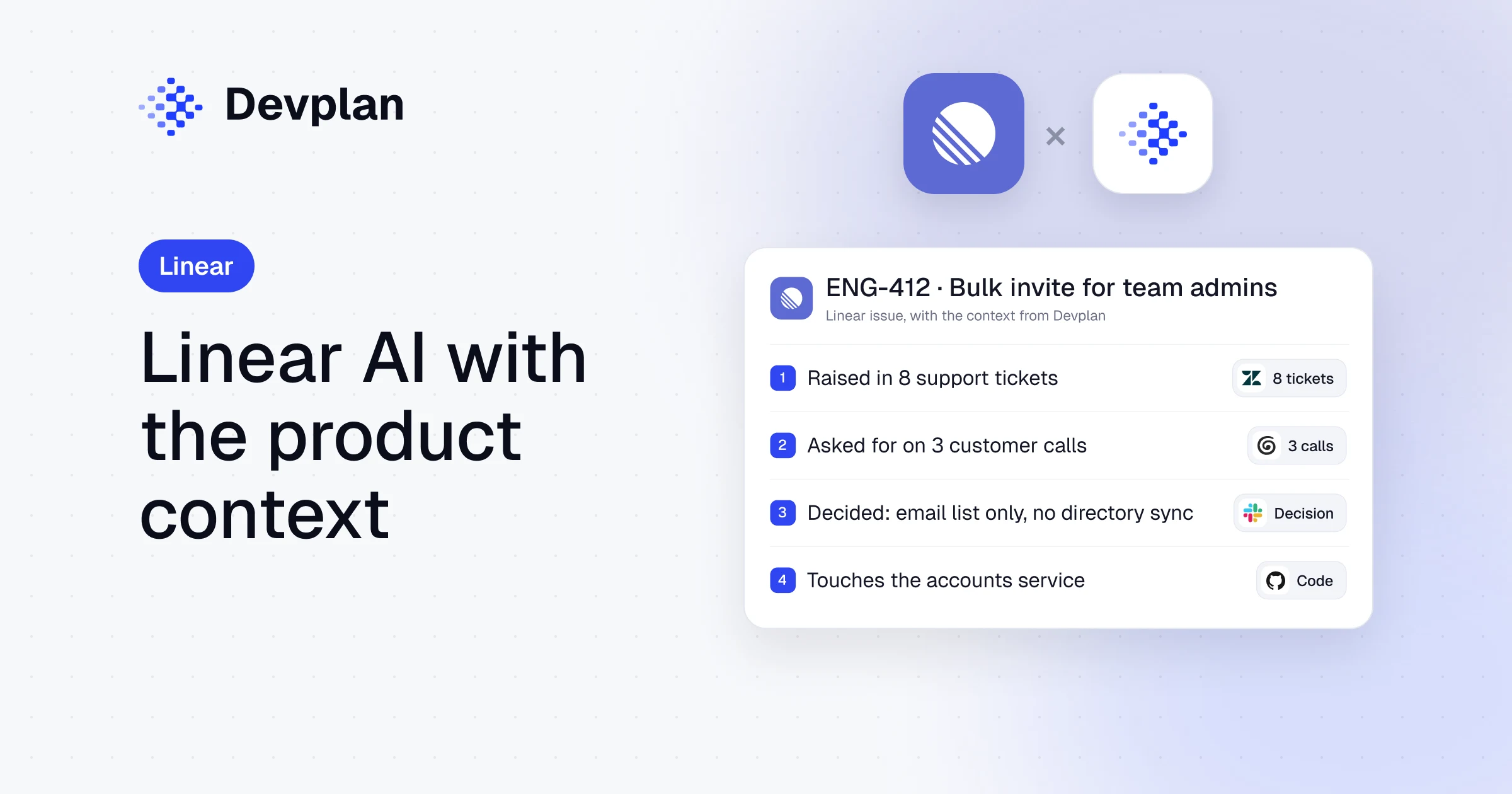
Most of the reasons behind a piece of work start somewhere else. Here is an example. An engineer picks up ENG-412, "Bulk invite for team admins", on Monday morning. The issue has a title and two lines. The three calls where customers asked for it are in Zoom recordings. The account that needs it for a renewal is in Salesforce. The decision to invite from an email list only, without a directory sync, was made in a Slack thread two weeks ago. Nobody wrote down that the change touches the accounts service. The engineer, or the coding agent assigned to the issue, starts by guessing.
An agent is as good as the issue it reads. If the issue is thin, Linear AI will summarize, route and even code a thin issue very well.
How to give Linear AI product context
Product context is everything a team knows about why a piece of work exists: who asked for it, what was decided, what is out of scope and which code it touches. Devplan builds that context from your calls, tickets, Slack and repositories, and attaches it to the work before it reaches your tracker.
You can do a lot of this inside Linear today:
- Connect your sources. Turn on the Slack, Intercom or Zendesk integrations your plan includes, and link customer requests to issues so the count and the revenue show up.
- Write agent guidance. Under Settings > Agents > Additional guidance, Linear lets you write workspace and team instructions that agents read: your conventions, your review rules, which labels mean what.
- Put the decision in the issue. Add a short "Decided" and "Out of scope" section to every issue that will go to an agent.
- Link the spec. For anything bigger than a bug, link a short spec. Our guide on how to write a PRD covers what goes in one.
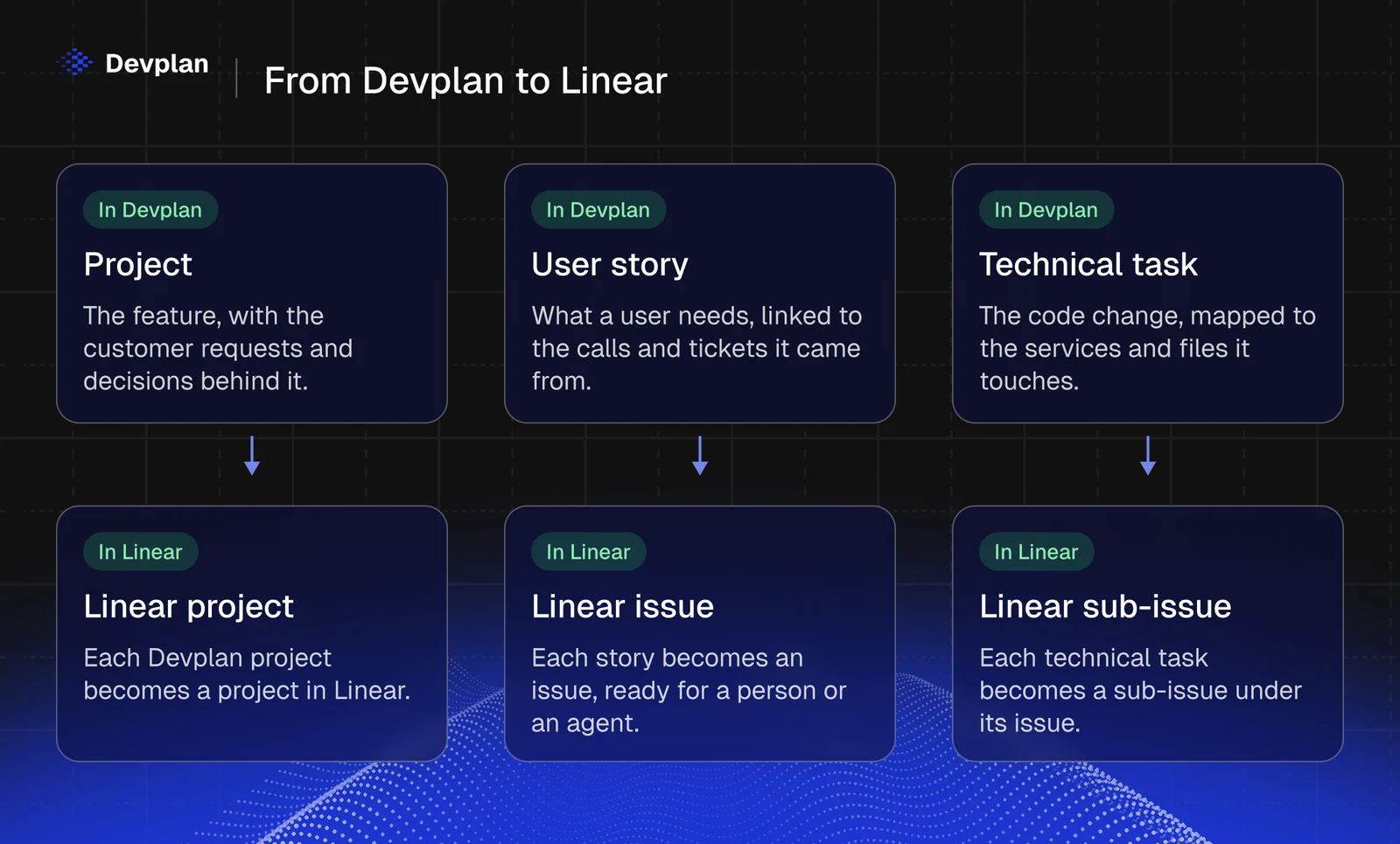
Devplan does this work before the issue exists. Devplan understands your calls (Zoom, Granola), support tickets (Zendesk, Intercom), CRM notes (HubSpot, Salesforce), Slack and Teams, and your repositories on GitHub or GitLab. It groups the requests, keeps the decisions and drafts the project with its stories, each linked to the call, ticket or file it came from. You review it, and then export it from the project's Build Plan tab:
| In Devplan | In Linear |
|---|---|
| Project | Project |
| User story | Issue |
| Technical task | Sub-issue |
The export is one way: edits made in Linear afterwards stay in Linear. Devplan also reads your Linear issues as a signal, next to calls and tickets, when it groups what customers ask for.
Now ENG-412 opens with the customers who asked, the email-list decision and the services it touches. When a coding agent picks it up, Claude Code or Cursor can read the issue through Linear's MCP and the evidence behind it through Devplan's, as our guide to connecting Claude Code to your product context shows. Devplan works with Jira the same way, and on its own if you don't use either. If you're still choosing a tracker, read Linear vs Jira or our list of Jira alternatives.
Frequently asked questions
What is Linear AI?
Linear AI is the set of AI features inside Linear, the issue tracker. It includes Linear Agent, Triage Intelligence, coding sessions with Claude Code or Codex, Code Intelligence, Loops, Pulse summaries and an MCP server for outside agents, according to Linear's docs and changelog.
Can I use Linear AI for free?
Yes, partly. Linear's Free plan includes Linear Agent, the agent platform, MCP access and customer requests. Coding sessions and Loops need prepaid AI credits on any plan, and Triage Intelligence, Code Intelligence and the support integrations need the Business plan ($16 per user a month).
Is Linear AI good for project management?
Linear AI is strong at the work around issues: routing new ones, finding duplicates, drafting project updates and planning cycles from the backlog. It works best when issues already hold the customer requests and decisions behind them, which is where a tool like Devplan helps.
How do I connect Claude Code to Linear?
Run claude mcp add --transport http linear-server https://mcp.linear.app/mcp in your terminal, then run /mcp inside Claude Code and sign in to Linear. Claude Code can then search, create and update Linear issues. To give it the product context behind each issue too, add Devplan's MCP server the same way.
How does Devplan work with Linear?
Devplan drafts projects and user stories from your customer calls, tickets, Slack and code, then exports them to Linear: a project becomes a Linear project, stories become issues and technical tasks become sub-issues. Each issue arrives with the customer requests and decisions behind it.
Give your Linear issues the reasons behind them
Send Linear issues that already know why they exist. See how Devplan works with Linear.
About the author. Chris Bee is the co-founder and CEO of Devplan.