BlogGuides
GuidesDevplan
How to write a PRD from customer feedback
Write a PRD your team and AI coding agents can build from. A step-by-step guide that starts with customer evidence, plus a free template and example.
Short answer: A PRD (product requirements document) says what you're building, who it's for, why it matters and how you'll know it worked. To write one from customer feedback, start with the evidence: collect every request, count who asked and what's at stake, write the problem in the customer's words, set one measurable goal, list requirements by priority, then make it clear enough for an engineer or an AI coding agent to build and test.
What is a PRD?
PRD stands for product requirements document. It describes a feature before anyone builds it: the problem it solves, who has that problem, what the feature must and must not do, and how the team will measure success.
Engineers use it to build the right thing, designers to shape it and leaders to agree on what comes first. A PRD explains what and why. The technical spec that often follows explains how: systems, data and trade-offs.
Why the best PRDs start from customer feedback
Most teams already hear what customers need. The trouble is turning it into decisions. In ProductPlan's State of Product Management 2026, a survey of nearly 250 product professionals, only 34% said they regularly collect customer insights and use them to guide prioritization. Another 18.9% collect insights but struggle to turn them into decisions, and 19.3% rely mostly on ad-hoc requests or escalations.
A PRD that starts from evidence fixes two things at once. It is harder to argue with, because the reasons are attached. And it tells whoever builds it exactly who the feature is for.
How to write a PRD from customer feedback, in 6 steps
The example below follows one request through all six steps. It is illustrative: a B2B software company whose customers keep asking for a better CSV export.
1. Collect every mention of the problem
Pull every place the request shows up: sales call notes, support tickets, Slack threads with your customer success team, CRM notes on open deals. A request that only lives in one person's memory doesn't count yet.
In the example, the mentions look like this:
| Source | What the customer said |
|---|---|
| Sales call | "Can we export this to CSV?" |
| Support ticket | "Export is missing columns." |
| Slack, from customer success | "Finance teams keep asking for exports." |
2. Count who asked and what's at stake
Group the mentions that ask for the same thing, then count them. Write down how many customers asked, how much revenue they represent and which open deals are waiting on it.
In the example: 14 customers asked, and 2 open deals mention the export. That number is the first line of your PRD's evidence section, and it is what stops the loudest voice in the room from deciding for you.
3. Write the problem, not the solution
Describe the customer's problem in two or three sentences, in their words, and link each claim to its source. Resist writing the feature yet.
Finance teams at our customers export data every month to reconcile accounts. Our export leaves out the columns they need, so they rebuild the file by hand. 14 customers have raised it since June, and 2 open deals are waiting on it.
4. Set one goal you can measure
Pick one outcome and one metric with a target, so you'll know whether it worked. For the export: "Finance users export a complete file without editing it. Metric: export-related support tickets fall to zero within 30 days of release."
5. List requirements by priority, and say what's out of scope
Sort requirements into must, should and won't (this time). Then write what the project deliberately does not cover. Out of scope is the section that saves the most arguments later, because it stops people assuming the feature does more than it does.
6. Make it buildable, then get sign-off
Add technical notes and a size estimate, then write acceptance criteria that an engineer or an AI coding agent can test against. Note open questions with an owner, record decisions as they're made, and share the document for approval before work starts.
What sections should a PRD have?
These are the 11 sections in the free Devplan PRD template. Most features need all of them, but some sections can be a single line.
| Section | What goes in it |
|---|---|
| 1. Overview | One or two sentences: what you're building and why now |
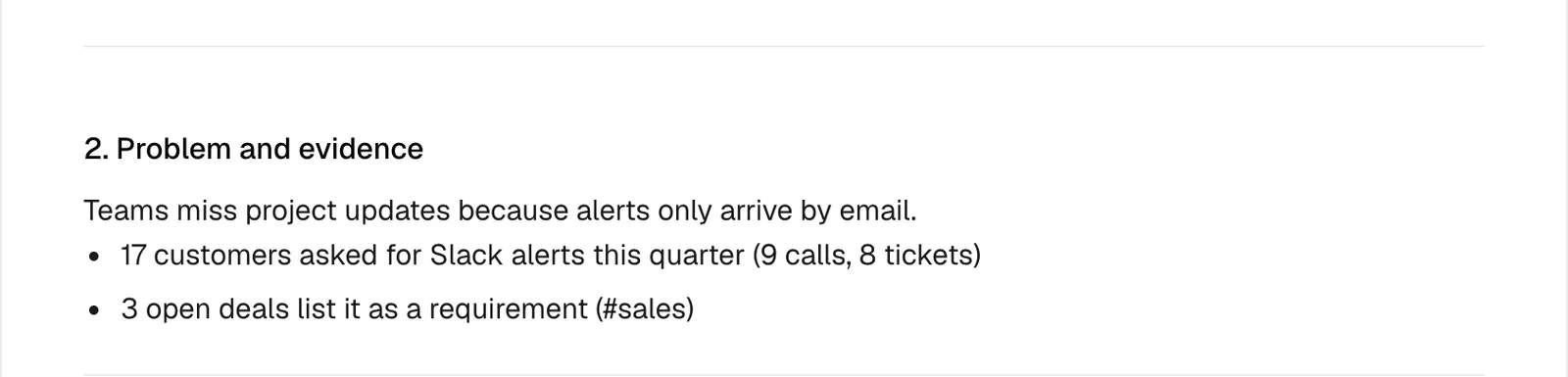
| 2. Problem and evidence | The customer's problem, with every claim linked to a call, ticket, Slack thread or deal |
| 3. Goals and success metrics | What changes for the customer, and the metric and target that prove it |
| 4. Users and use cases | "As a [role], I want [action] so that [outcome]" |
| 5. Requirements | Must, should and won't (this time) |
| 6. Out of scope | What the project deliberately does not cover |
| 7. Design notes | Links to mock-ups, and the key screens or flows |
| 8. Technical notes and estimate | Systems touched, dependencies, risks, and a size estimate (S, M or L) with a range |
| 9. For AI coding agents | Acceptance criteria, the files and services to start from, and what not to change |
| 10. Open questions and decisions | Each question with an owner and due date; each decision with who made it and when |
| 11. Launch plan | Rollout steps, who needs to know, and which customers to tell when it ships |
A short PRD example
Here is the CSV export from above as a condensed PRD (illustrative).
| Section | Example |
|---|---|
| Overview | Add the missing columns to CSV export so finance teams can reconcile without editing the file. |
| Problem and evidence | 14 customers asked since June (8 support tickets, 4 sales calls, 2 Slack threads from customer success). 2 open deals mention it. |
| Goal and metric | Complete exports with no manual edits. Export-related tickets at zero within 30 days. |
| Users | As a finance manager, I want to export every transaction field so that I can reconcile in one step. |
| Must | All transaction fields in the export; the date range filter applied to the file |
| Should | Saved export presets |
| Won't (this time) | Scheduled exports by email |
| Out of scope | Excel and PDF formats |
| For AI coding agents | Acceptance: an export of a 10,000-row range matches the on-screen totals exactly. Start from the export service. Don't change the public API. |
| Launch plan | Release behind a flag to the 14 customers who asked, then tell them it's live. |
Writing PRDs for AI coding agents
Teams increasingly hand implementation to AI coding agents such as Claude Code, Cursor and Codex. An agent builds what the document says, so anything left vague gets filled with a guess. Three additions make a PRD usable by an agent:
- Acceptance criteria as testable statements. "Exports match on-screen totals for a 10,000-row range" can be checked. "Exports should be accurate" can't.
- Where to start. Name the files, services or modules the change touches, so the agent doesn't search the whole codebase.
- What not to change. Public APIs, database schemas, shared components. Constraints prevent the most expensive mistakes.
This is why the Devplan template has a dedicated "For AI coding agents" section.
Common PRD mistakes
- Starting from the solution. "Build a CSV export" skips the problem, so nobody can judge whether a different fix would work better.
- No evidence. A PRD without customer evidence becomes an opinion, and opinions lose to whoever has the most authority.
- No out-of-scope section. Every unstated limit becomes a later surprise.
- A goal you can't measure. "Improve the export experience" can't succeed or fail.
- Writing it once and never updating it. Record decisions as they happen, or the PRD stops matching what was built.
Get the free PRD template
The Devplan PRD template has all 11 sections, a filled example, and versions for web apps, mobile apps and backend services, plus payments, healthcare and marketplace products. Copy it as Markdown, download it, or open it in Claude or ChatGPT to fill it in. No sign-up is needed to copy it.
If you'd rather not start from a blank page, Devplan reads your calls, tickets and Slack, finds what customers keep asking for, and drafts the PRD with every line linked to its source.
Frequently asked questions
What's the difference between a PRD and an MRD?
A market requirements document (MRD) describes the market opportunity: who the buyers are, what they need and why it's worth pursuing. A PRD takes one opportunity and describes the feature or product that addresses it. Many teams skip a formal MRD and keep the market reasoning in the PRD's problem and evidence section.
How many customer requests justify a PRD?
There is no fixed number. Weigh the count against what's at stake: three requests from your largest accounts, or one that blocks an open deal, can matter more than twenty from free users. Write the count and the revenue into the evidence section so the trade-off is visible.
How long should a PRD be?
As short as it can be while answering what, why, for whom and how you'll measure it. For most features that's one to three pages. Link to evidence and designs instead of pasting them in.
Who should write the PRD?
Usually the product manager, with input from engineering, design and the people who talk to customers. The PM owns it, and the team reviews it before work starts.
Can AI write a PRD?
Yes, if it starts from real evidence rather than a blank prompt. A PRD generated from a one-line idea will read well and still miss what customers asked for. Give the AI the actual requests, the customer quotes and the constraints, and review what it writes.
About the author. Chris Bee is the co-founder and CEO of Devplan.
Your next PRD, written from what customers asked for. Start free with $100 in credits, no credit card needed, or book a demo.